

Overview
Resistor Calc Toolbox brings three electronics calculators together in one easy-to-use app: LED Resistor Calculator, Resistor Color Code Calculator, and Enter Ohms → Get Colors. All three tools work offline.
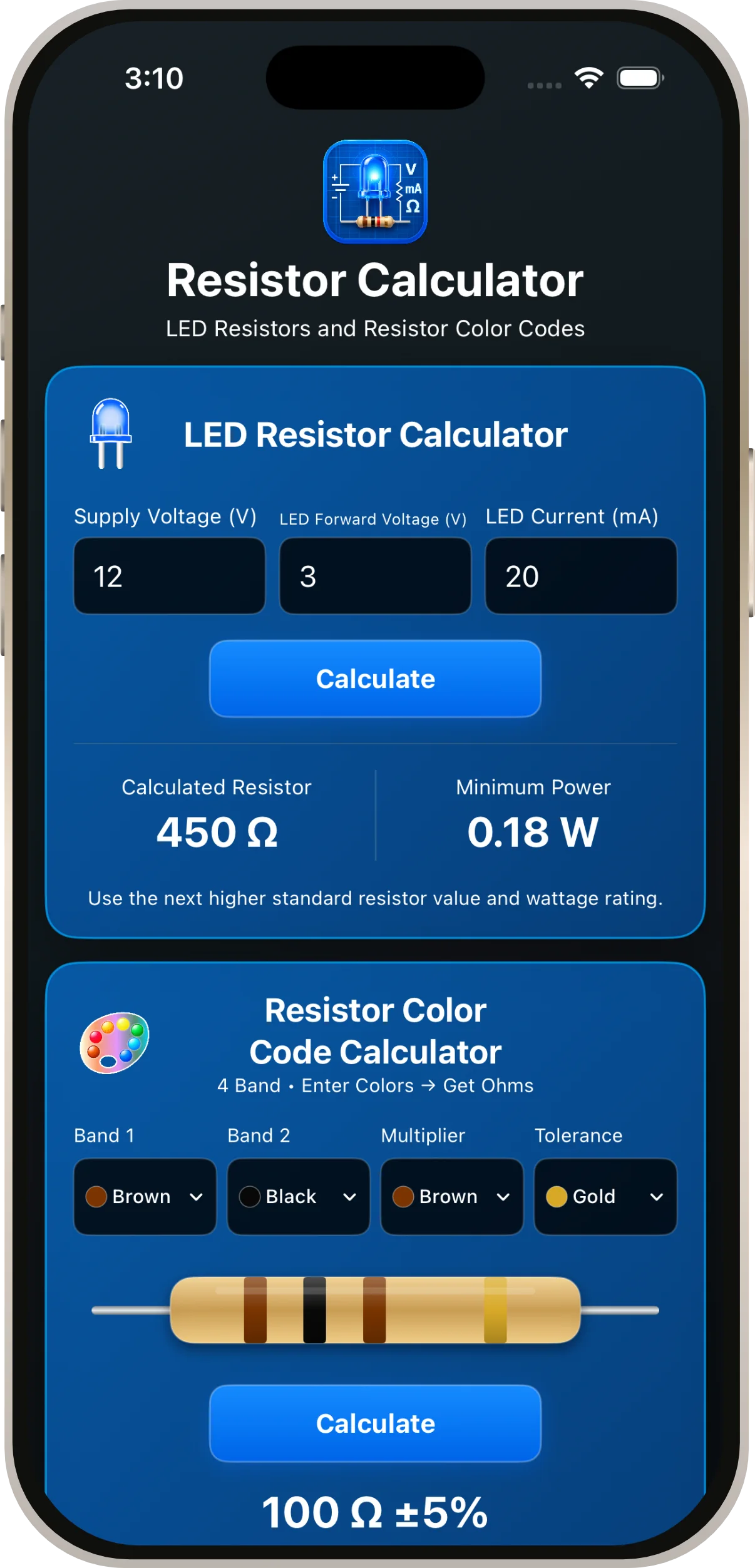
LED Resistor Calculator
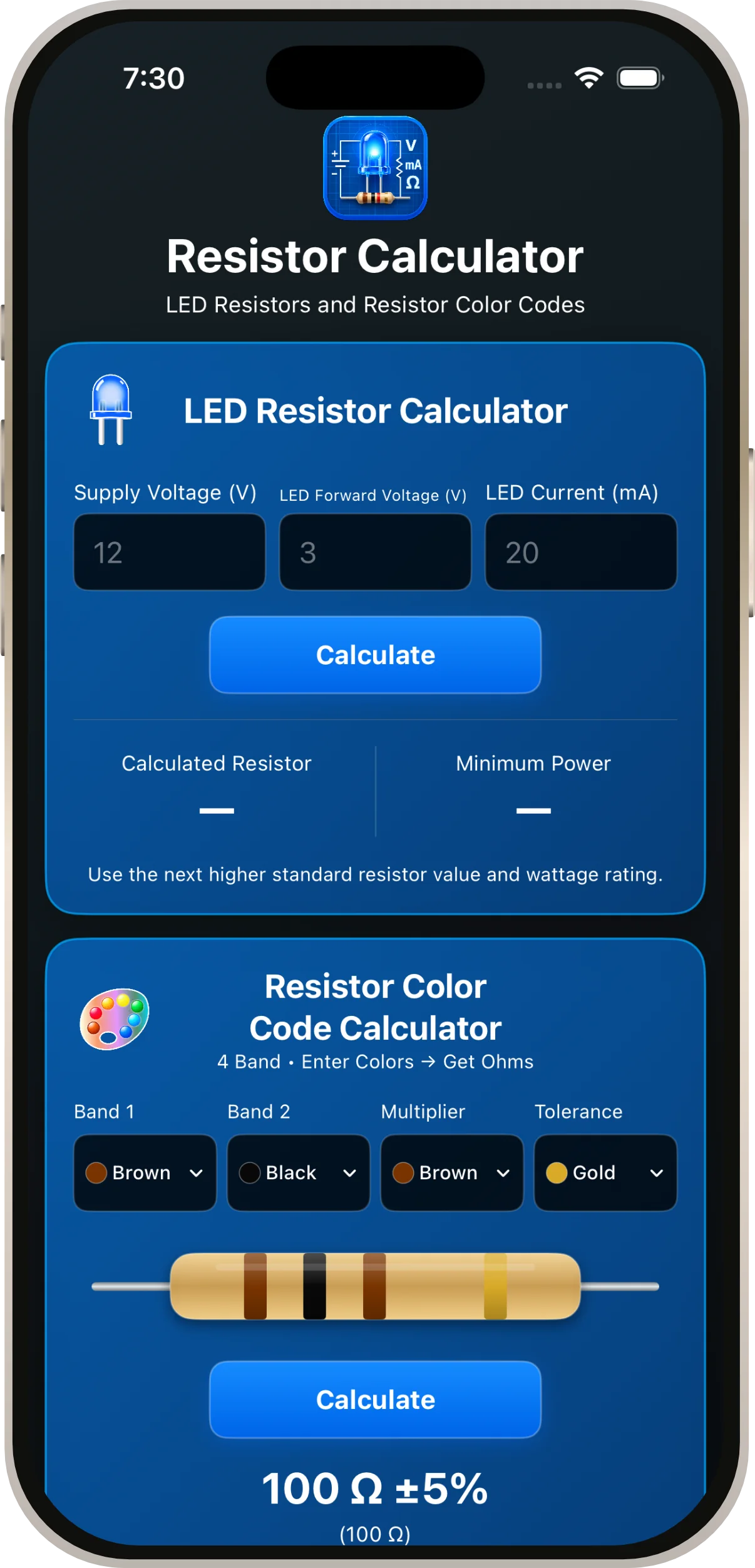
Use this calculator to estimate the series resistor needed for an LED connected to a DC power source.
- Enter the Supply Voltage in volts.
- Enter the LED's Forward Voltage in volts, using the LED's specifications.
- Enter the desired LED Current in milliamps (mA).
- Read the calculated resistance and resistor power dissipation.
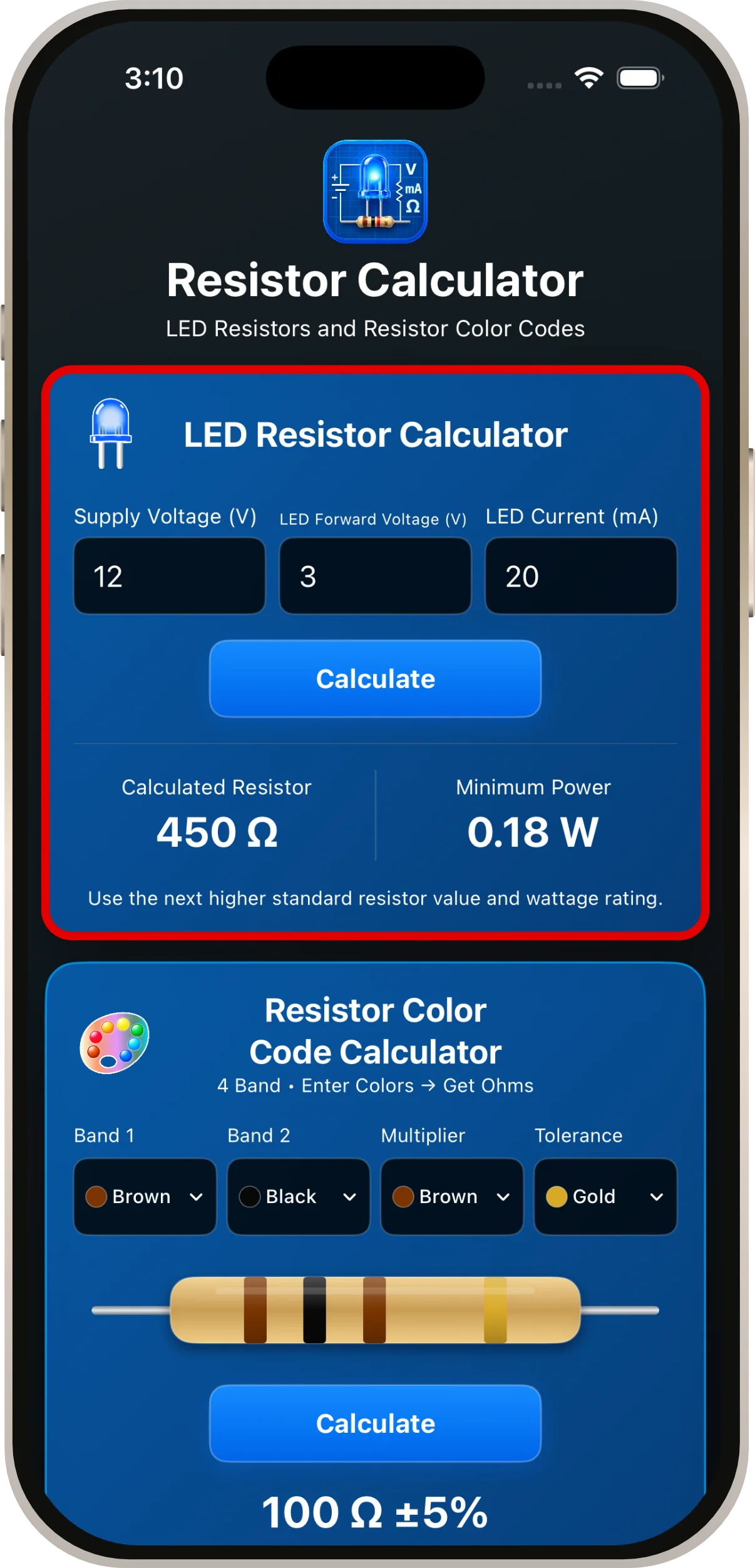
LED Calculation Example
With a 12 V supply, a 3 V LED, and a desired current of 20 mA, the calculated resistor is 450 Ω. Power dissipated by that resistor is approximately 0.18 W.
Resistor Color Code Calculator
Use the four color-band selectors to identify the nominal resistance and tolerance of a four-band resistor. Select the colors in order from the first band to the fourth; tap Calculate to display the corresponding resistance and tolerance.
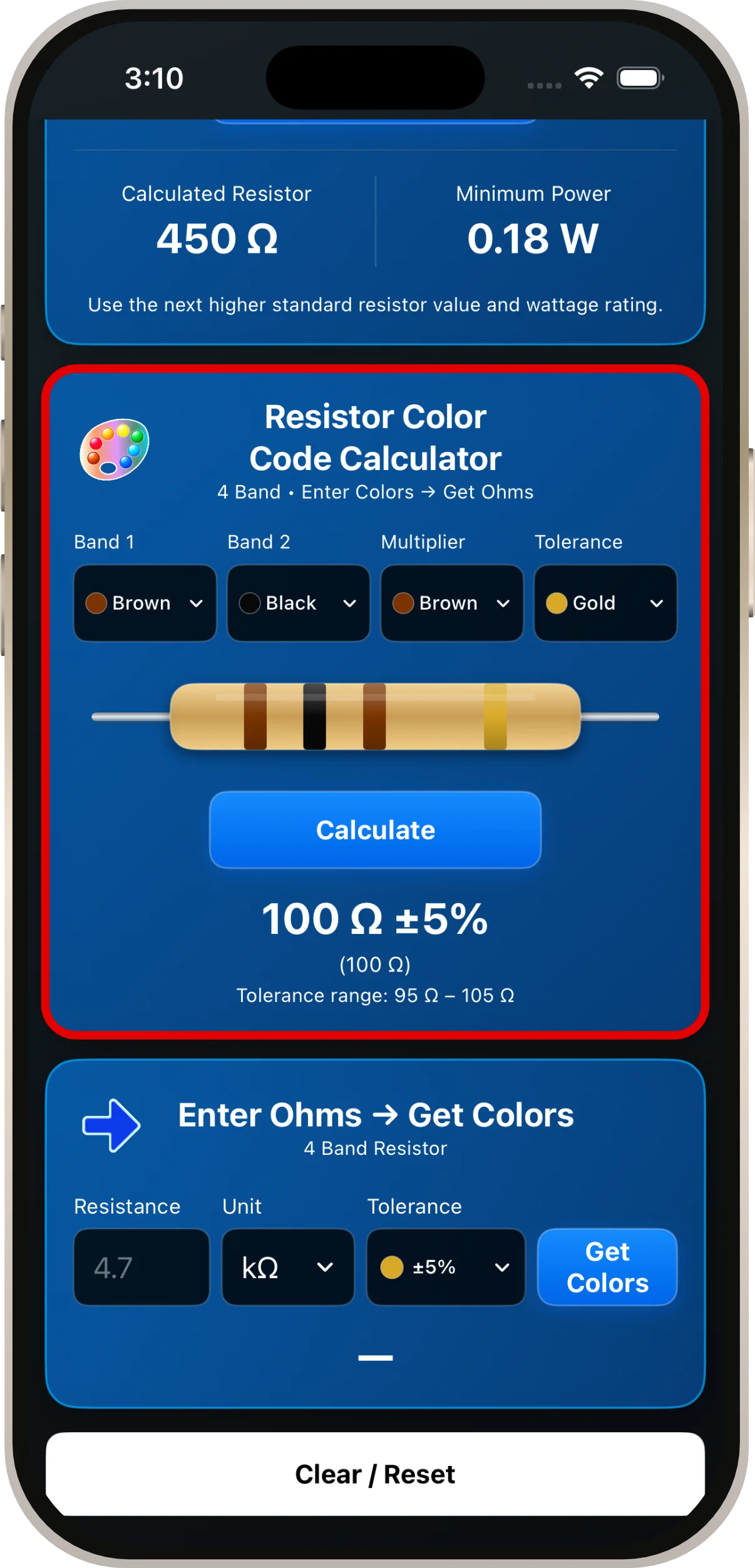
Understanding the Four Bands
| Band | Meaning |
|---|---|
| 1 | First significant digit |
| 2 | Second significant digit |
| 3 | Multiplier |
| 4 | Tolerance |
Read the resistor from the end opposite the tolerance band, which is often gold or silver.
Enter Ohms → Get Colors
This calculator works in the opposite direction: enter a resistance value, select the unit and tolerance, and view the corresponding four-band color combination.
- Enter the desired resistance.
- Select the appropriate unit, such as ohms (Ω) or kilohms (kΩ).
- Choose the tolerance.
- Tap Get Colors and review the resulting band colors.
Four-band codes represent values with two significant digits. Not every arbitrary resistance value has an exact four-band representation.
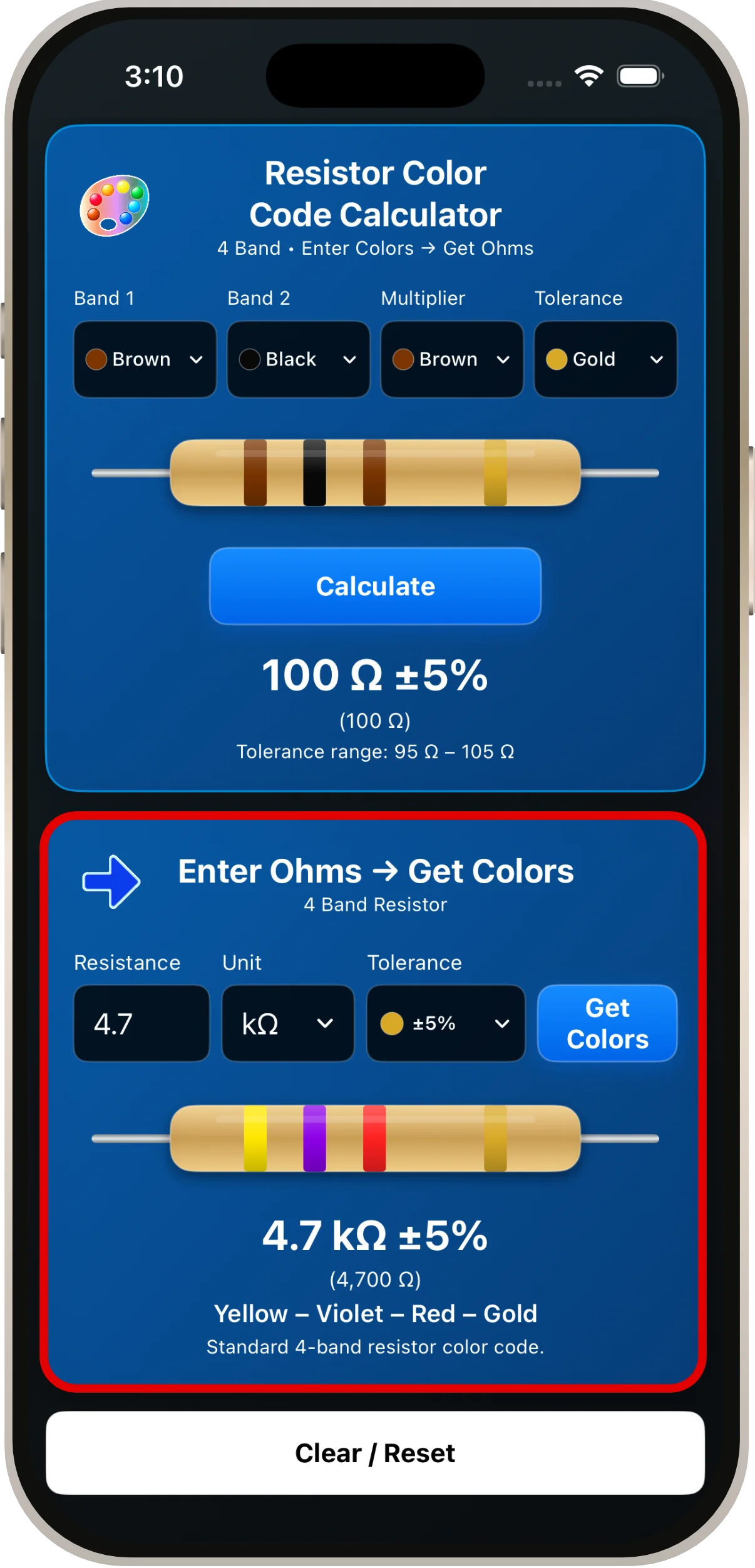
Examples: 100 Ω and 4.7 kΩ
For 100 Ω ±5%, the bands are Brown – Black – Brown – Gold. Brown (1) and black (0) give the digits “10”; the third brown band multiplies by 10, giving 100 Ω. Gold indicates ±5% tolerance. For 4.7 kΩ ±5%, the bands are Yellow – Violet – Red – Gold, as shown in the screenshot above.
Clear / Reset
Tap Clear / Reset to clear the entered resistance and start again. The default color-band example is Brown – Black – Brown – Gold (100 Ω ±5%).
Tips & Troubleshooting
- Use the LED manufacturer's recommended forward voltage and current rather than guessing.
- For LEDs, check that the supply voltage exceeds the LED forward voltage before calculating a series resistor.
- Confirm whether the resistance entry is in Ω or kΩ before interpreting the bands.
- For physical resistors, use a multimeter when color bands are faded or difficult to distinguish.
- Results are planning aids; verify component specifications and circuit conditions before construction.